GetWebstack logo
ConnectBlogDocs

Isolated dev environments for AI coding agents

Stop guessing. Trust what your AI coding agents build.

Get StartedHow does it work?
  • ⚙

    0-CONFIG SETUP

    We learn how to run your app and

    Run gws init and we analyze your project structure, detect services, dependencies and generate everything configuration needed and AI agent instructions.

  • Parallel Sandboxes

    PARALLEL SANDBOXES

    Isolated environments for each agent

    Each AI agent works in its own sandboxed worktree with dedicated infrastructure. Multiple agents develop different features simultaneously without conflicts.

  • ✓

    QUICK VERIFICATION

    Test AI work in ephemeral staging environments

    Run gws up -w feature-x to instantly deploy what your AI agent built. Full production-like environment with HTTPS, databases, and live URLs.

How does it work?

Steps to launch an app

npm install -g @getwebstack/gws
App analysis
Domains and routing
Env vars
#Analyze project and generate config
$ gws init
> Scanning project structure...
> Detected services: frontend (React), api (Node.js)
> Detecting dependencies... Adding PostgreSQL
> Configuring services...
> Setting up infrastructure...
> Creating AI agent instructions...
> Writing gws.json...
✔ Project initialized. Run "gws up" to deploy.

ZERO-CONFIG

Automatic project analysis
  • Detects your services, frameworks, and dependencies automatically.
  • Configures everything needed — routing, networking, and resource allocation.
  • Creates instructions so AI agents know how to run and debug your app.
  • Works with any stack — React, Angular, Django, Rails, Go, and more.
Get startedSee docs

LOCAL & ON-PREMISE

Your code never leaves your infrastructure
  • Local-first: Clusters spin up in seconds.
  • On-premise: Deploy to your own cluster.
  • Air-gapped: Works without internet for secure environments.
  • Full control: You own the infrastructure and data.
Get startedSee docs
#Start local cluster
$ gws up
> Creating cluster "myapp"...
> Deploying services locally...
✔ Cluster ready at https://myapp.local.getwebstack.dev

#Or deploy to your own cluster
$ gws up --cluster my-k8s-cluster
✔ Deployed to on-premise cluster
Install MCP
Instruct AI
AI sandbox
Verify
#Add MCP server to your config
$ gws mcp install
> Adding GetWebStack MCP server...
> Updating claude_desktop_config.json
✔ MCP server installed

PARALLEL AGENTS

Multiple agents, zero conflicts
  • Auto-generated instructions teach AI how to run and debug your app.
  • Each agent gets its own isolated Kubernetes namespace.
  • Sub-second bidirectional file sync to running containers.
  • Dedicated HTTPS URLs per worktree for easy verification.
Get startedSee docs

Built for teams

Manage your team access effortlessly

Invite your teammates to your projects. Easily manage roles and permissions.

Claude
Cursor
OpenAI
Opencode
Any MCP Agent

MODEL-AGNOSTIC

Works with any AI through MCP

Any AI agent that supports MCP can create, manage, and deploy to isolated dev environments.

  • One integration: Install the GetWebstack MCP server once.
  • Universal compatibility: Claude, Cursor, Codex, Opencode, and more.
  • Future-proof: As new AI agents emerge, they just need MCP support.
  • No lock-in: Switch between agents freely — your environments stay the same.
MCP Setup Guide

USE CASES

Where GetWebstack shines

  • Event-Driven AI Agents

    Trigger AI agents automatically on GitHub issues, PRs, Slack messages, or build failures. Each event spins up an isolated environment for the agent to work in.

    gws agent start --on pr:opened
  • CI/CD Pipeline Integration

    Run E2E tests in isolated environments as part of your GitHub Actions, CircleCI, or Jenkins pipelines. Full production-like stack for every PR.

    gws up -w pr-123 && npm run e2e
  • PR Review Environments

    Every pull request gets its own live URL. Reviewers can test changes in real environments without running anything locally.

    https://pr-42.myapp.local.getwebstack.dev
  • Parallel Feature Development

    Multiple developers or AI agents working on different features simultaneously. Each gets a dedicated sandbox with full infrastructure.

    gws create feature-auth && gws create feature-payments
  • Rapid Prototyping

    Spin up a new project with databases, APIs, and frontends in one command. Iterate quickly without infrastructure bottlenecks.

    gws init && gws up
  • Security Testing

    Create disposable environments for penetration testing or security audits. Fully isolated from production data and infrastructure.

    gws create security-audit --isolated

SUPPORT

  • Community

    We are here to make sure you develop quickly and don't get stuck.

    Join our Discord community
  • Documentation

    Check our detailed documentation that guides you to set up, develop and optimize your app.

    See docs

Blog

Check our blog for examples and news

  • woman learning

    3 steps to easily validate your SAAS idea without an MVP

    Read more
  • SAAS technologies

    How to choose your tech stack for your SAAS business

    Read more
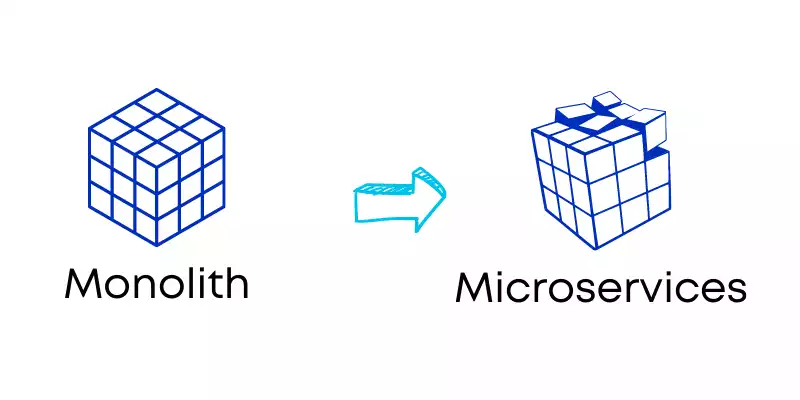
  • Monolith to microservices

    Micro-apps vs Microservice vs Micro-frontends

    Read more

FAQ

Ask us anything

  • What is GetWebstack?

    GetWebstack is agentic infrastructure — isolated, production-like dev environments where your AI coding agents can develop, test, and iterate autonomously. One command to analyze your project and spin up sandboxed environments locally or on-premise.

  • Who is it for?

    Solo developers running AI agents on features in parallel, small teams (2-10) reviewing multiple PRs simultaneously, and AI-forward teams integrating agents into their development workflows.

  • Why should I use it?

    AI agents can write code, but they can't easily deploy and test against real infrastructure. They generate code blindly — no running database, no API calls, no integration tests. GetWebstack gives each agent a full environment to validate its work.

  • How does 0-config work?

    Run gws init in your project. We analyze your repo structure, detect services, frameworks, and databases, then generate Dockerfiles, Kubernetes manifests, and AI agent instructions automatically.

  • Is it secure?

    Each agent works in an isolated Kubernetes namespace with its own resources. Your source code never leaves your machine — everything runs locally or on your own infrastructure. No cloud dependency required.

  • What AI agents work with it?

    Any agent with MCP support — Claude, Cursor, Codex, and more. Install the GetWebstack MCP server and your AI agent can create and manage dev environments directly.

Ready to give your AI agents real infrastructure?

Stop guessing if code works. Start deploying isolated dev environments in seconds.

Get Started FreeRead the Docs

No credit card required. Works on your local machine.

GetWebstack logo
contact@getwebstack.com
    • About us

      BlogDocs
    • Policies

      Privacy Terms and conditions
Made in France, Europe
Switch to light mode